
Product Tour
How It Looks
Get a visual tour of Worklogs. See how easy it is to manage projects through conversation.
Chat
Worklogs is built around chats, easy to understand for non-technical users while more advanced features are a click away.
Send messages, share files, and keep everyone in sync without leaving the conversation.
Learn more about Messages →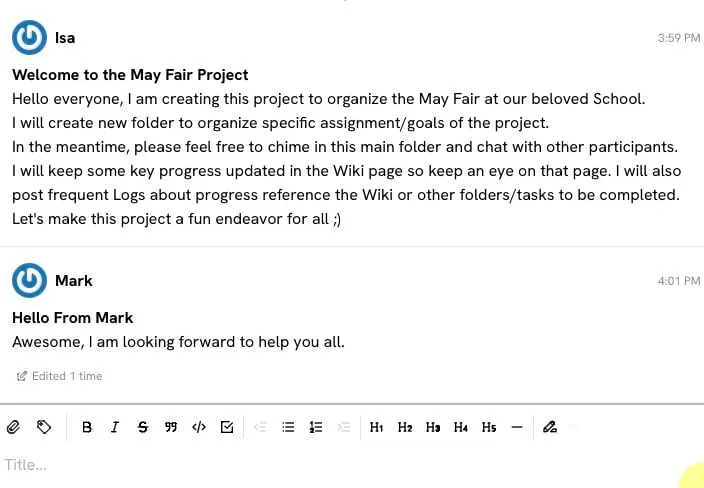
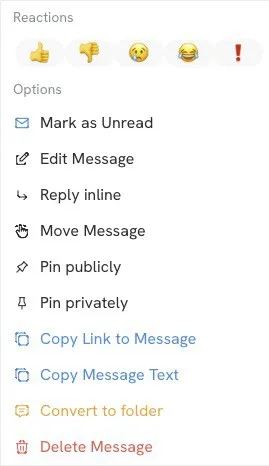
Message Actions
Tap or click on any message to take more advanced actions like reply, pin, edit, or delete.
Access all message options in one convenient menu without cluttering the interface.
Threads
Create threads seamlessly when replying to specific messages. Greatly improves remote async conversations understanding.
Threads stay connected to the original message so you never lose the context of the discussion.
Learn more about Threads →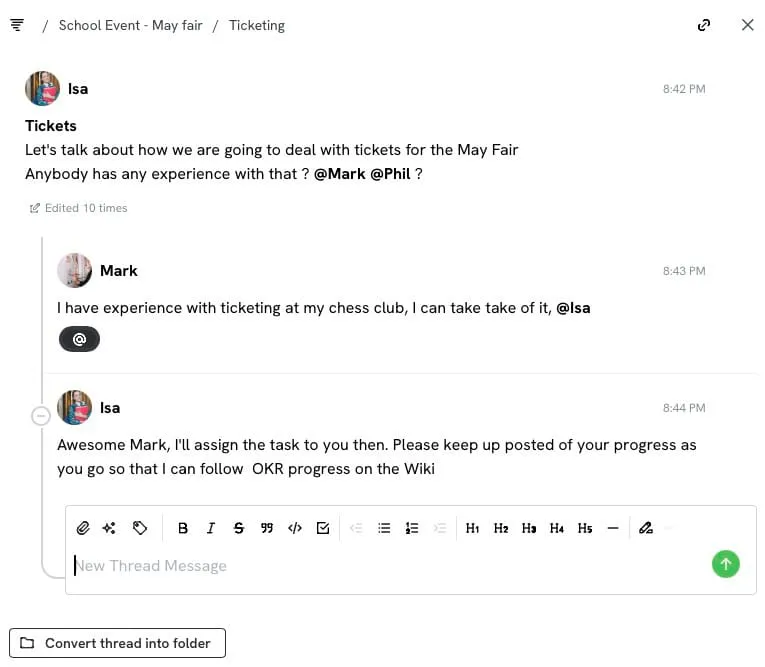
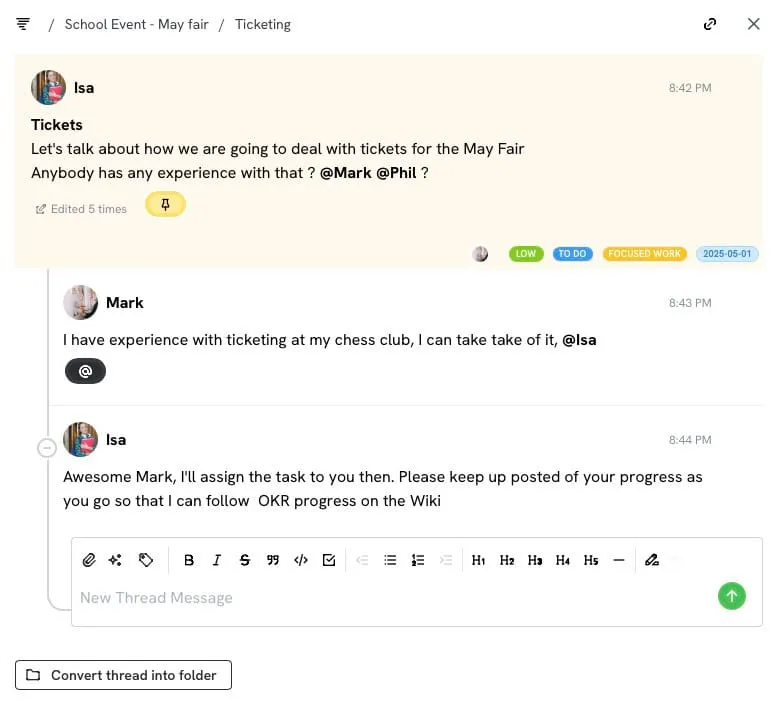
Pin Messages → Tasks
Pinned messages become tasks when assigned user(s), priority level, due date, and more.
Tasks live in your conversations where the context is. No need to switch between apps.
Learn more about Pins →Dashboard
Visualize tasks and supervise or process them effectively without leaving the dashboard.
Filter by folder, assignee, priority, or due date to focus on what matters most.
Learn more about Pins & Dashboard →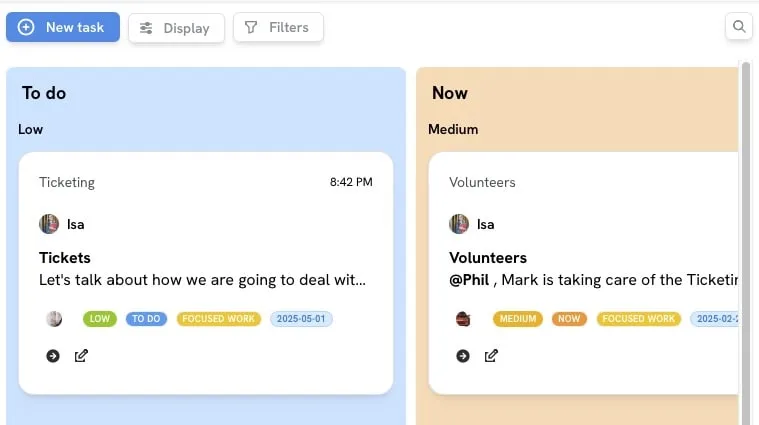
Time Tracking
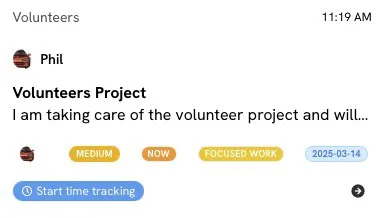
One-click task time tracking. Start tracking time on any task with a single click. The timer runs in the background while you work.
View time spent by folder, conversation, or task. Export reports for billing or analysis.
Learn more about Time Tracking →Ready to see it for yourself?
Start free. No credit card required.