· Philippe Daix · How It Works · 1 min read
Worklogs – Folders
Organize your conversations into folders while controlling permissions on individual user bases.

Worklogs enables users to organize conversations into folders while allowing customized permissions on individual user bases. The platform combines folder organization with direct messaging capabilities to enhance team collaboration and project management.
Key Features
The system provides several organizational benefits:
- Control sensitive information access
- Segment projects into manageable pieces
- Elevate conversations into dedicated folders as projects grow
- Concentrate attention on specific folders/projects
Users can access folders on desktop and mobile interfaces.
Folders and Sub-folders
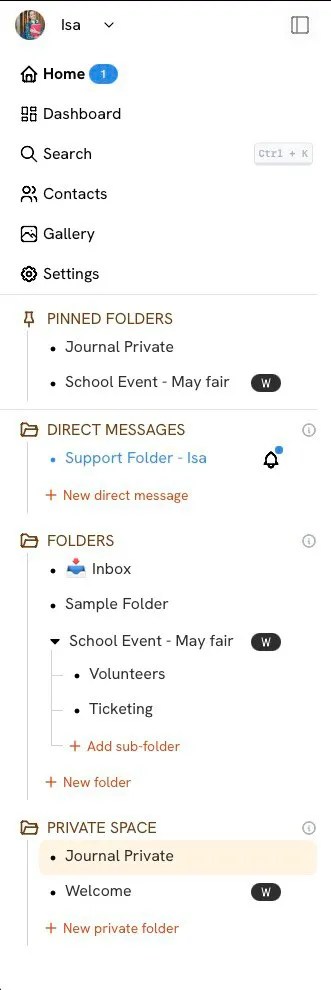
Organizing projects hierarchically maintains conversation clarity and productivity. The homepage displays updates across all folders, but selecting specific project folders improves focus and dashboard management efficiency.
Folder Shortcuts
Quick navigation options include:
- W icon – Accesses collaborative wiki
- Dots icon – Accesses settings and permissions
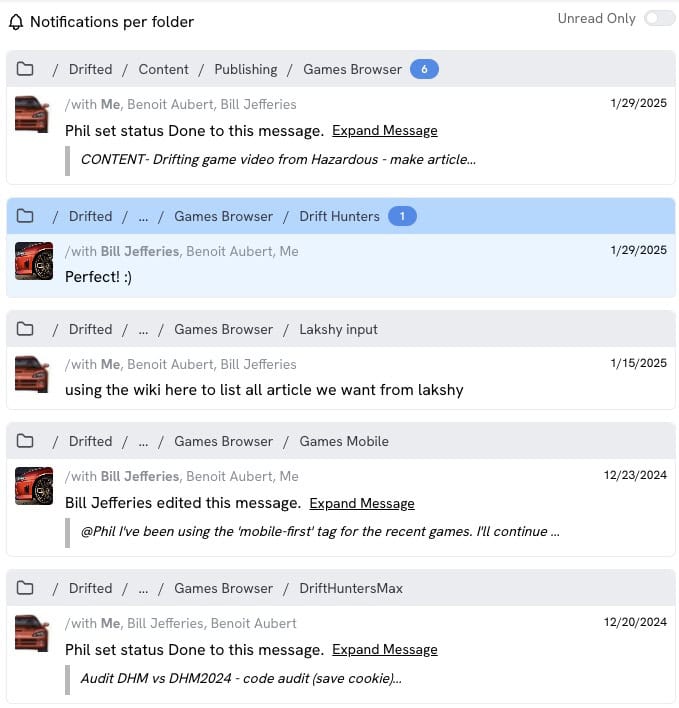
- Bell icon – Navigates to latest messages (appears when unread messages exist)
- Add sub-folder option – Creates folders without converting messages/threads
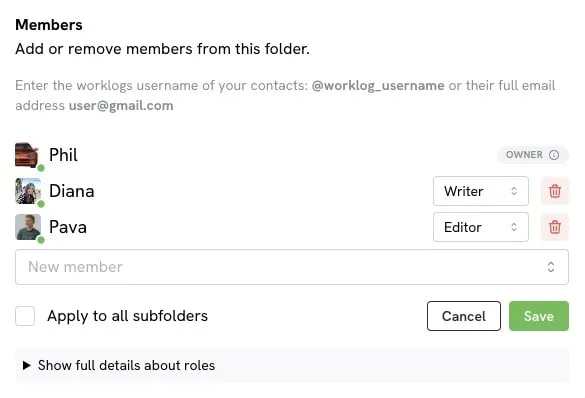
Folder User Permissions
Folders organize conversations while controlling information access to specified team members. This means you can keep sensitive projects private while maintaining open communication on others.